
Your first song in 5 minutes
Open the studio, pick a key on the circle of fifths, add four chords, add a part and press play.
-
Start a new song
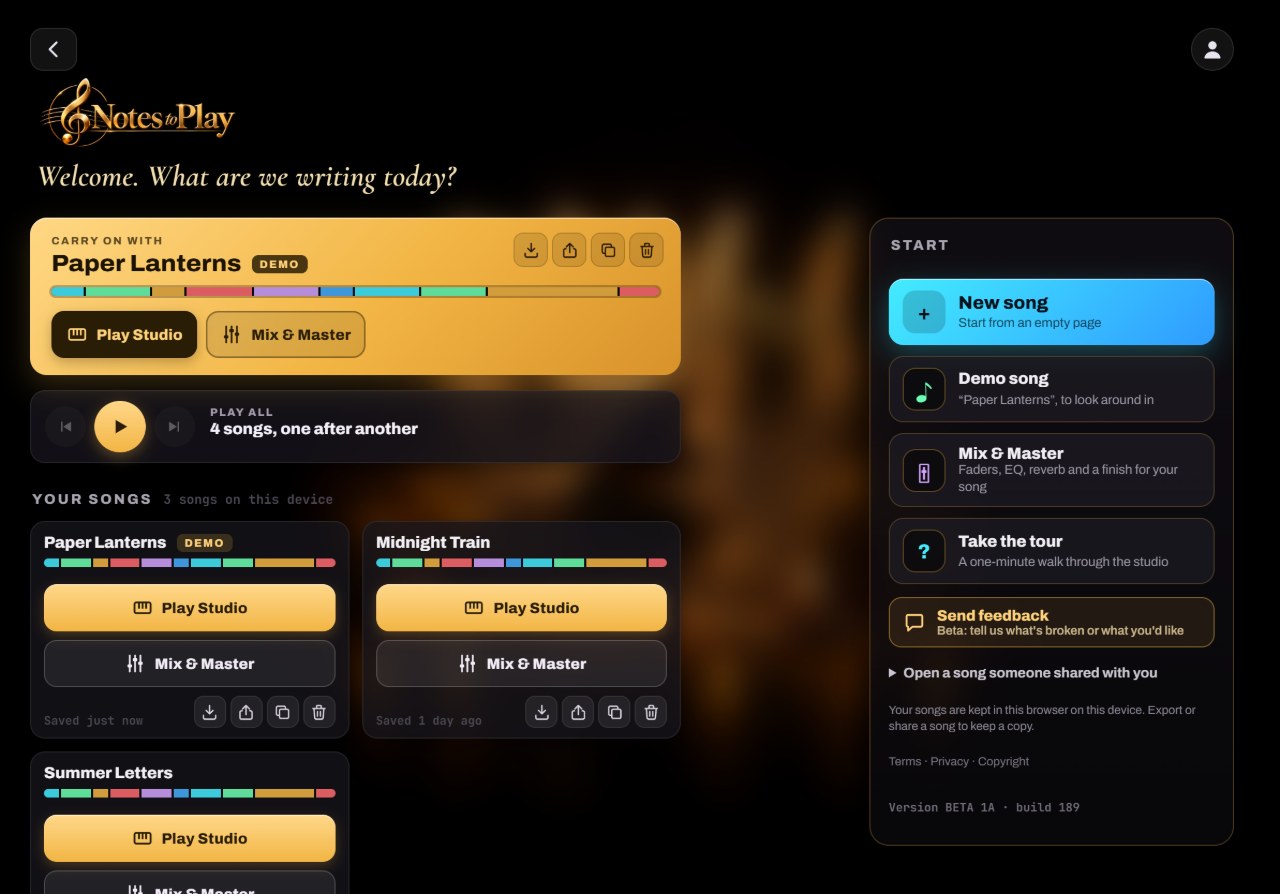
Open Notes to Play and tap Enter the studio. The Start screen lists your songs on the left, each with Play Studio and Mix & Master. Tap New song for a blank page, or open the demo to explore first.
- 1New song starts an empty page
- 2Demo song opens “Paper Lanterns” to look around
- 3Take the tour: a one-minute walk through the studio
-
Pick a key
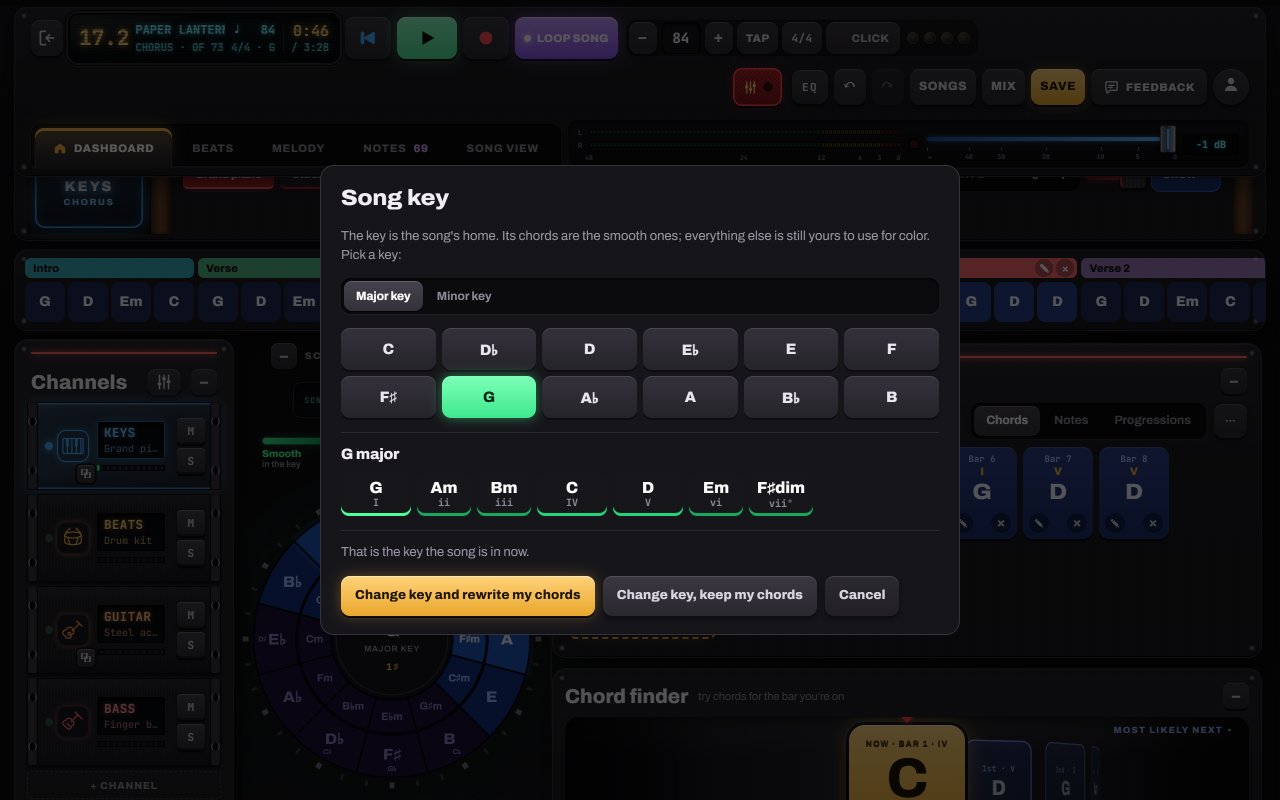
Tap Change on the Song key plate beside the circle. Choose major or minor and a root note. The key is your song’s home: its chords glow green on the circle.
- 1Major key or Minor key
- 2Tap a root: you hear its home chord
- 3The seven chords of that key, with numerals
- 4Confirm
Tip: Not sure? G major and C major are friendly on both guitar and piano.
-
Add chords from the circle
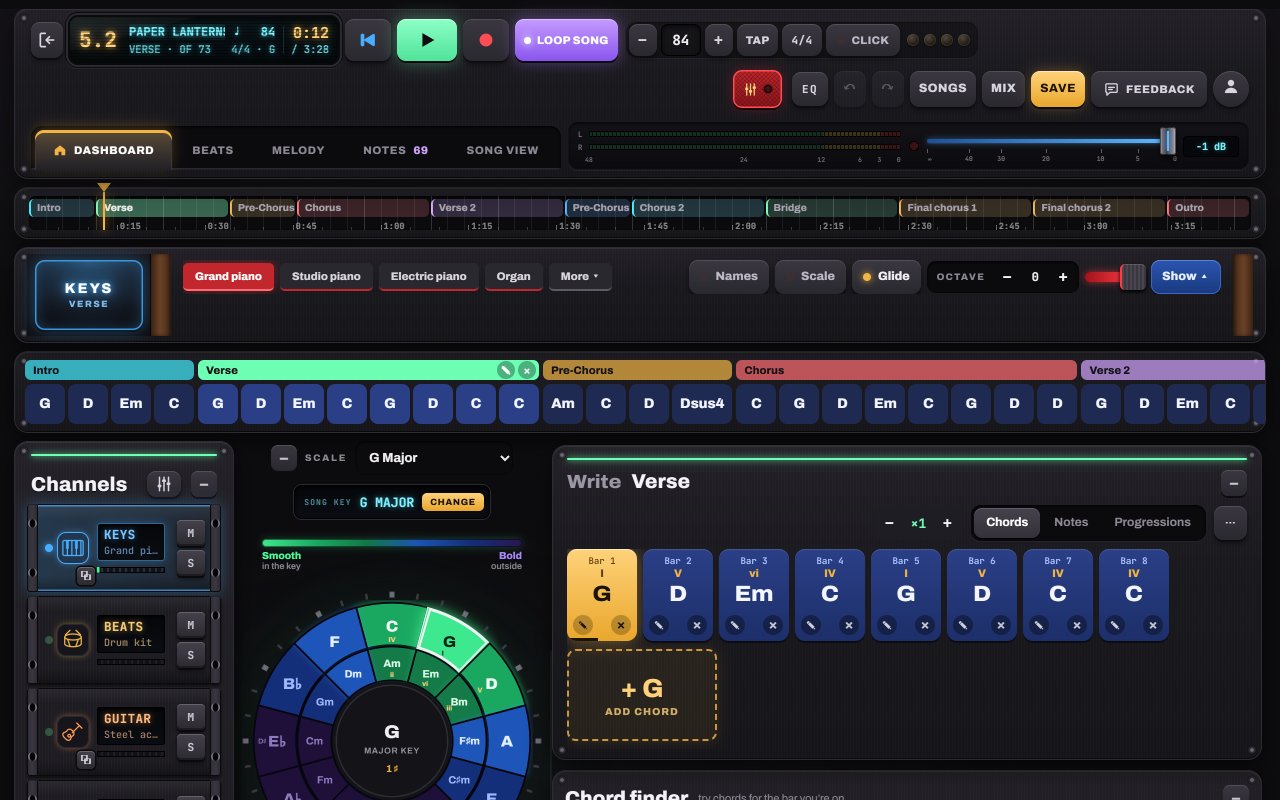
Tap any chord on the circle of fifths to hear it. Green chords sit in your key; blue and purple ones are bolder. Tap Add chord to put it in the part. Four chords make a great first verse: try I, V, vi, IV (in G: G, D, Em, C).
- 1Tap a chord on the circle to hear it
- 2Add chord puts it in the next bar
- 3Your bars: tap one to select it, ✎ to edit, × to delete
-
Add another part
Your first part is the Verse. Tap + Add part at the end of the song bars to add a Chorus (a new part copies one you already have, so you can just change a few chords). Set repeats with − ×1 +.
- 1The timeline: every part of your song
- 2Song bars: every bar, part by part (+ Add part at the end)
- 3×1: how many times the part repeats
-
Press play
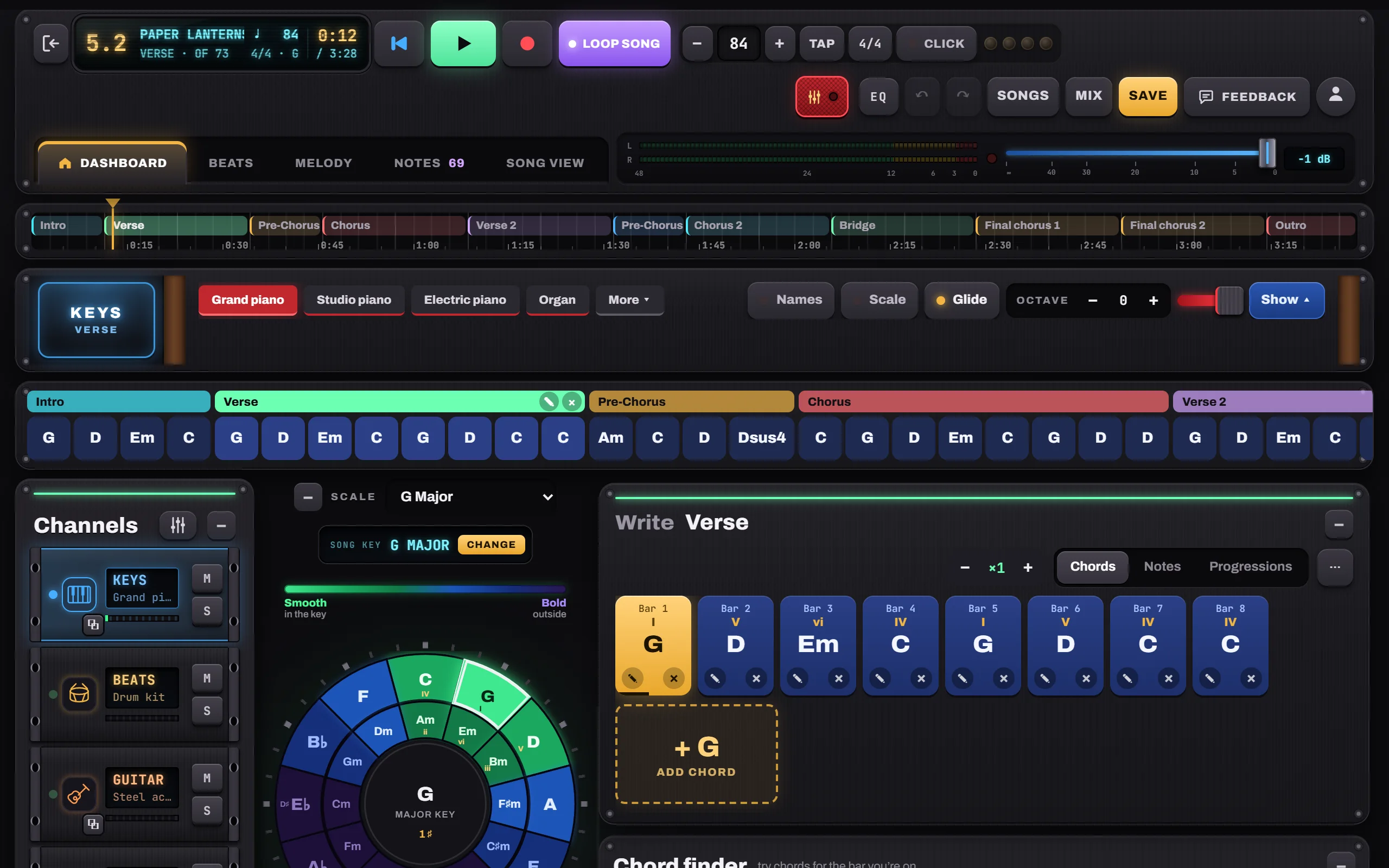
Press Play. Piano, guitar, bass and drums play your chords. Loop the part while you write over it, or switch to Loop song to hear it top to bottom. The beat lights next to the tempo count along, so you can follow the beat even with the click off. Tap Save when you like it.
- 1Play / pause (or the space bar)
- 2Loop part · Loop song · No loop
- 3Tempo, TAP, time signature and Click on one panel
- 4Beat lights: count every beat, even with the click off
Tip: Nothing is ever lost by trying: Undo (↶) brings back anything you changed.


Hear it in a sample song
- Paper Lanterns · Demo song · pop / folk
- Slow Rewind · Pop ballad
- Gravel Road Waltz · Folk / acoustic