
A whole songwriting studio. On one screen.
Two rooms. Play Studio for chords, lyrics, a band that plays along, beats, melody and recording. Mix & Master to finish the sound and export it.
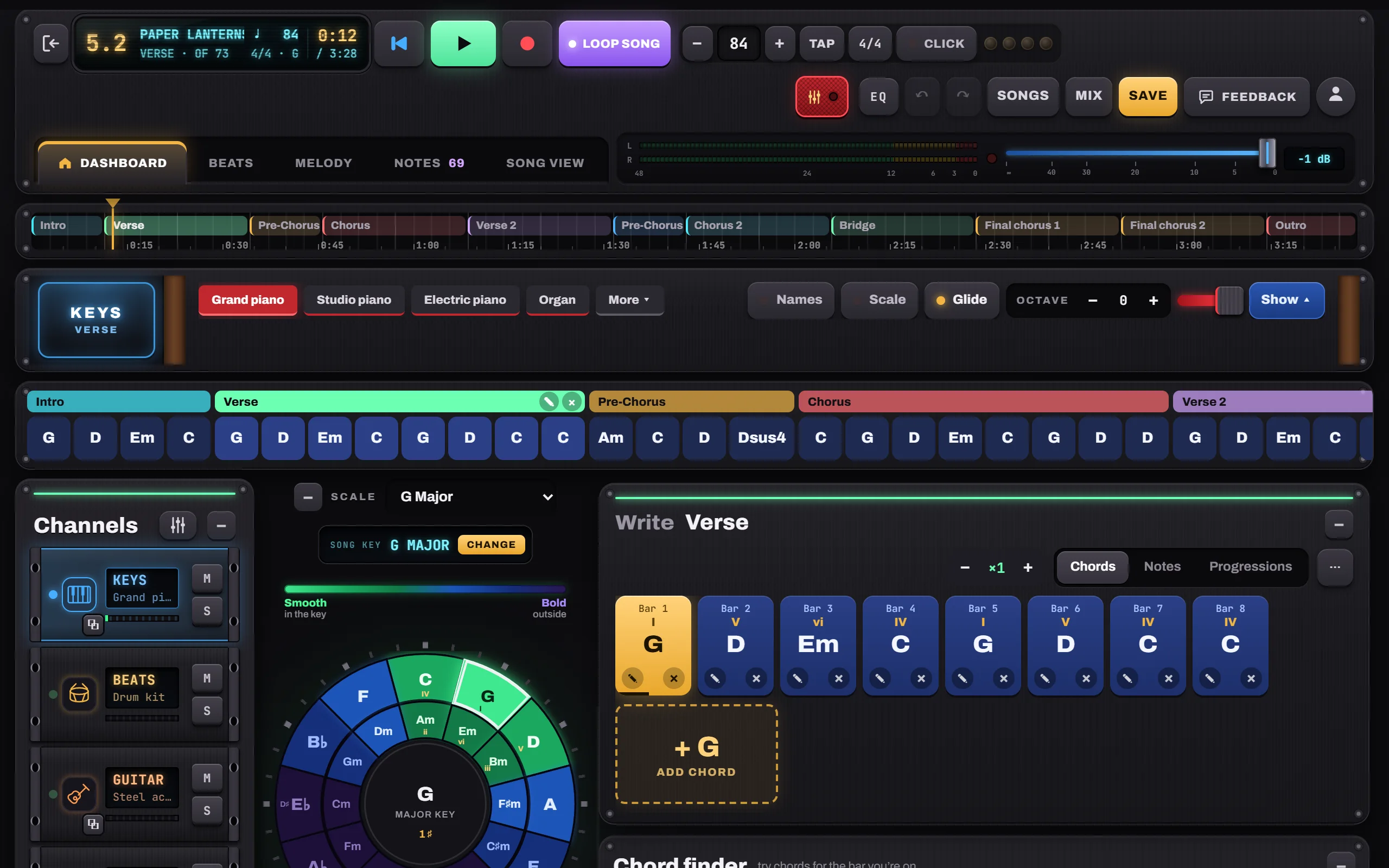
The circle of fifths, made playable.
Tap any chord to hear it. Your key glows green, bolder choices fade to blue and purple, and the chord that’s playing lights up as the song runs.
- Chord finder: the most likely next chords, ranked
- Chord editor: triads, sevenths and color chords
- Progressions library written in your key
- Change key and rewrite every chord in one tap

Verse, chorus, bridge. And every word.
Build songs from parts with repeats, see them on a timeline, and write lyrics under every chord. A rhyme finder suggests rhymes and near-rhymes as you write.
- Song view: a lead sheet with lyrics under every bar
- Sheet music for lead sheet, piano, guitar and bass
- Notes for lyrics, ideas and to-dos, part by part
- Print or save as PDF

Keys, guitar and bass that play your chords.
Real sampled sounds on instruments you can play too: a multi-touch keyboard, a guitar neck you strum with a finger, and a bass with its own neck.
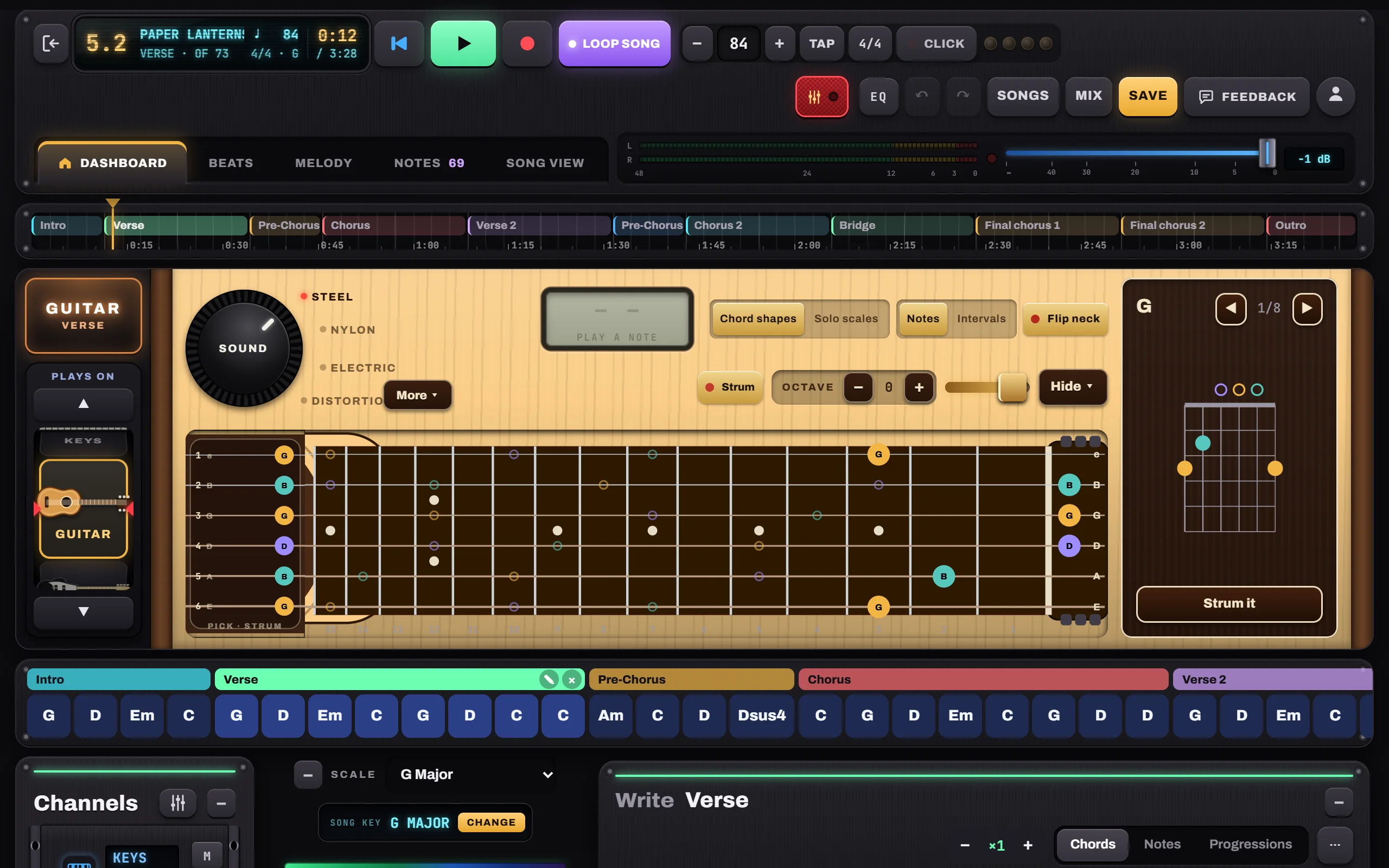
- Keys: grand, studio and electric piano, organ, pads
- Guitar: steel, nylon, electric, distortion; chord shapes and solo scales
- String pad to pick your own arpeggios
- “Plays on” wheel: any channel on any instrument
Hold, Pulse, Arp or Strum. Part by part.
Choose how each part is played and shape the arpeggio on a grid. Go deeper with Chord by chord: give any chord its own pattern, or write your own notes.
- Separate styles for Keys and Guitar
- Arp presets, random patterns and a step grid
- Chord by chord for Keys, Guitar and Bass
- Bass lines that follow the arp or your own notes

A piano roll for every channel.
Write a melody on the grid or play it in. On Keys, Guitar or Bass, the same roll shows exactly what the band plays, ready to edit.
- Tap to add, drag to move or resize
- Up to six extra channels: melodies, takes, chord layers
- Melody channels can play on keys, guitar or bass

Pads in your fingers. A beat for every part.
Tap out a groove on the pads or write it on the grid. Each part keeps its own beat, from a sparse verse to a full chorus.
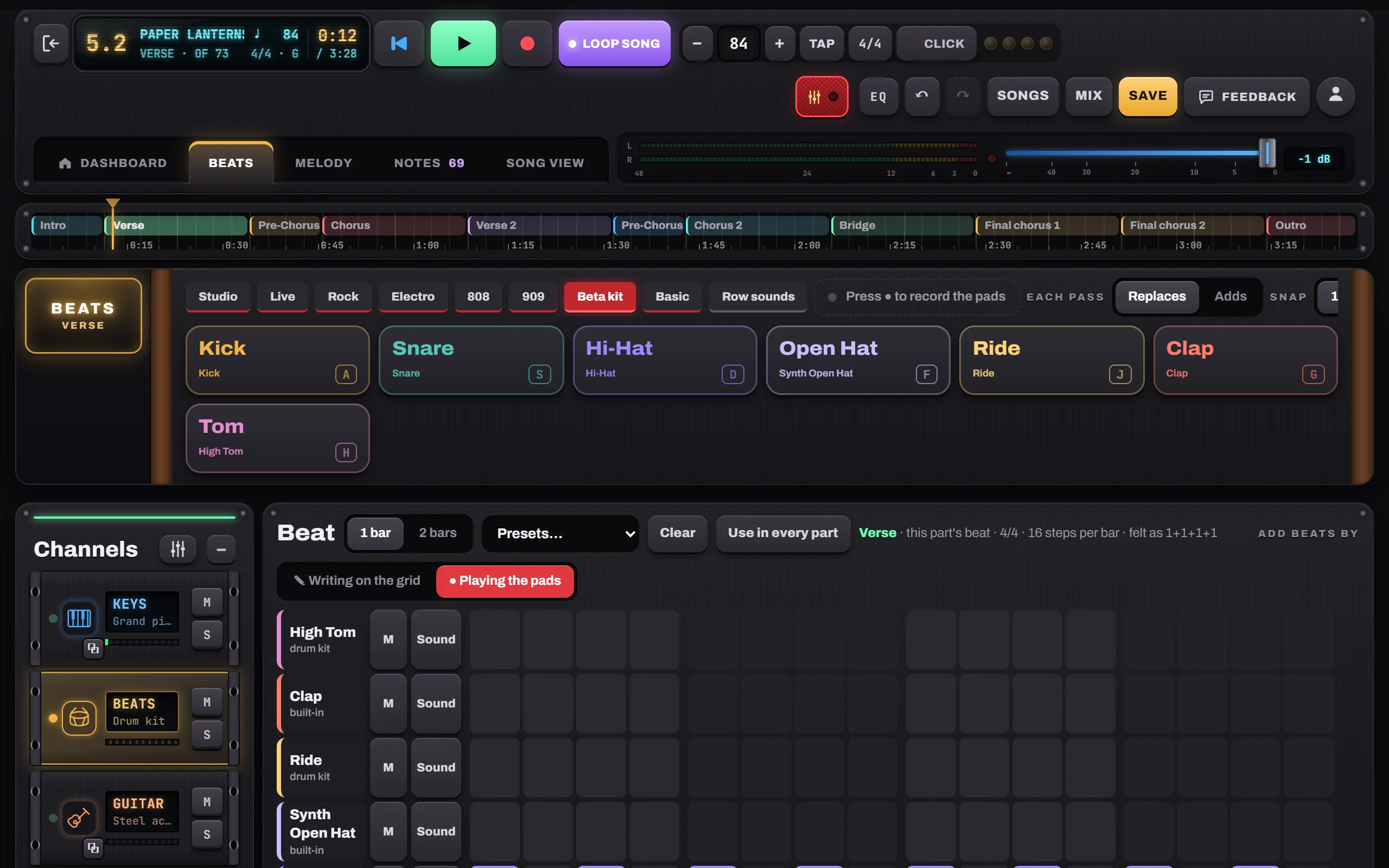
- Drum kit and electronic sounds; add crash, toms, ride…
- Presets from Rock to 7/8; volume per drum
- Record the pads live, in time
- Beat lights in the header count every beat, even with the click off
Sing it. Play it. Line it up.
Record your voice or guitar over the band in one pass with a count-in. Drag the take into place, trim it and nudge it to the millisecond.
- Device delay subtracted automatically
- MIDI keyboards and pads (Chrome, Edge)
- “Listen for a chord”: it hears what you play

A second studio for the finished song.
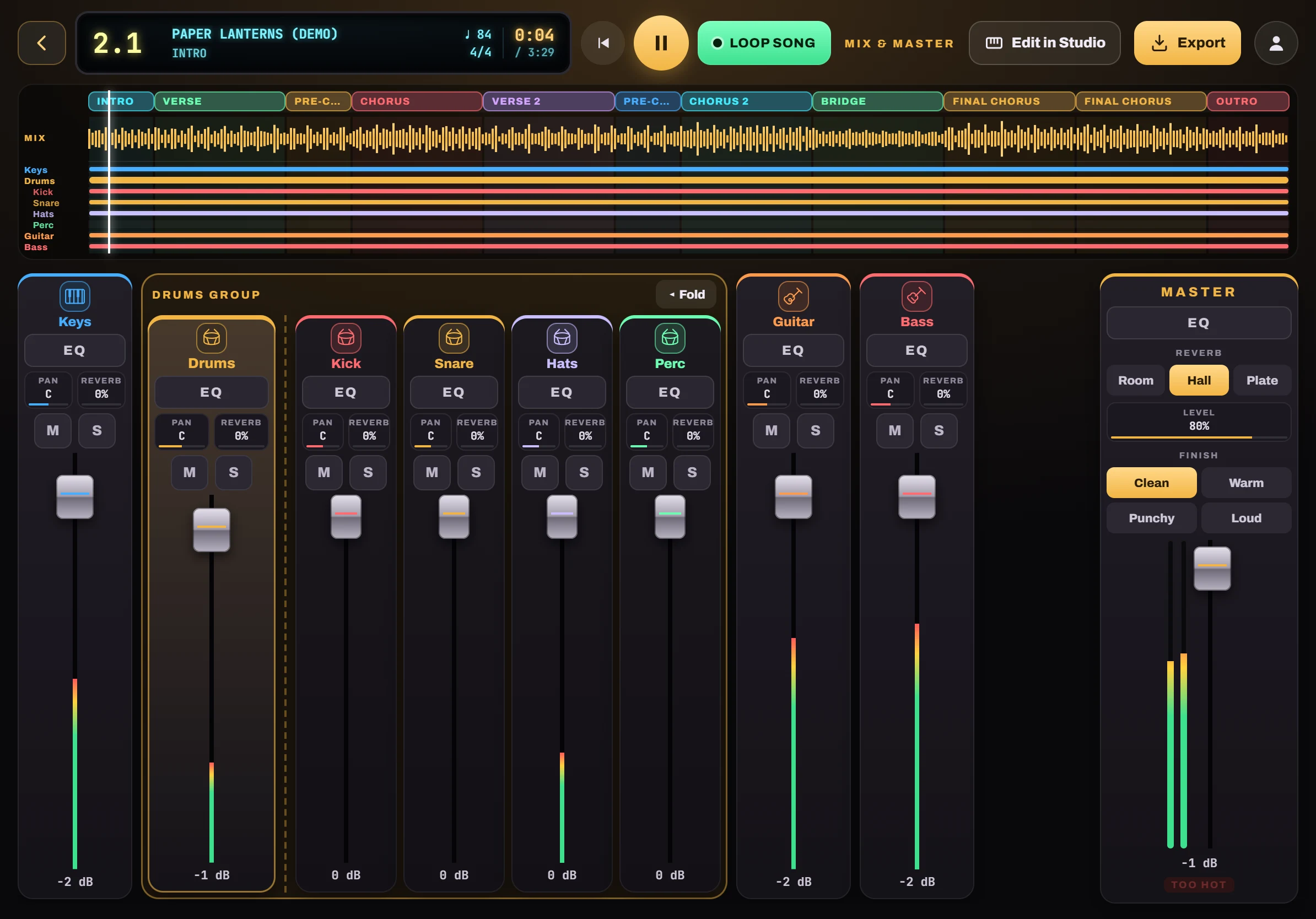
Open any song on a mixing desk. A strip per instrument, a full EQ, pan and reverb, and a master with a one-tap finish. Then export a WAV or MP3.
- A fader per instrument; drums as a group with Kick, Snare, Hats and Perc
- Parametric EQ on every channel and on the master
- Pan and reverb chips that drop down a slider
- Master reverb (Room, Hall, Plate) and a Finish: Clean, Warm, Punchy or Loud
- A timeline with every part, the mix wave and where each instrument plays
- Export your mix as WAV or MP3
Chords and lyrics, big enough for the stage.
Concert mode goes full screen: just the chords and lyrics, scrolling with the song. Tap any chord to jump there.
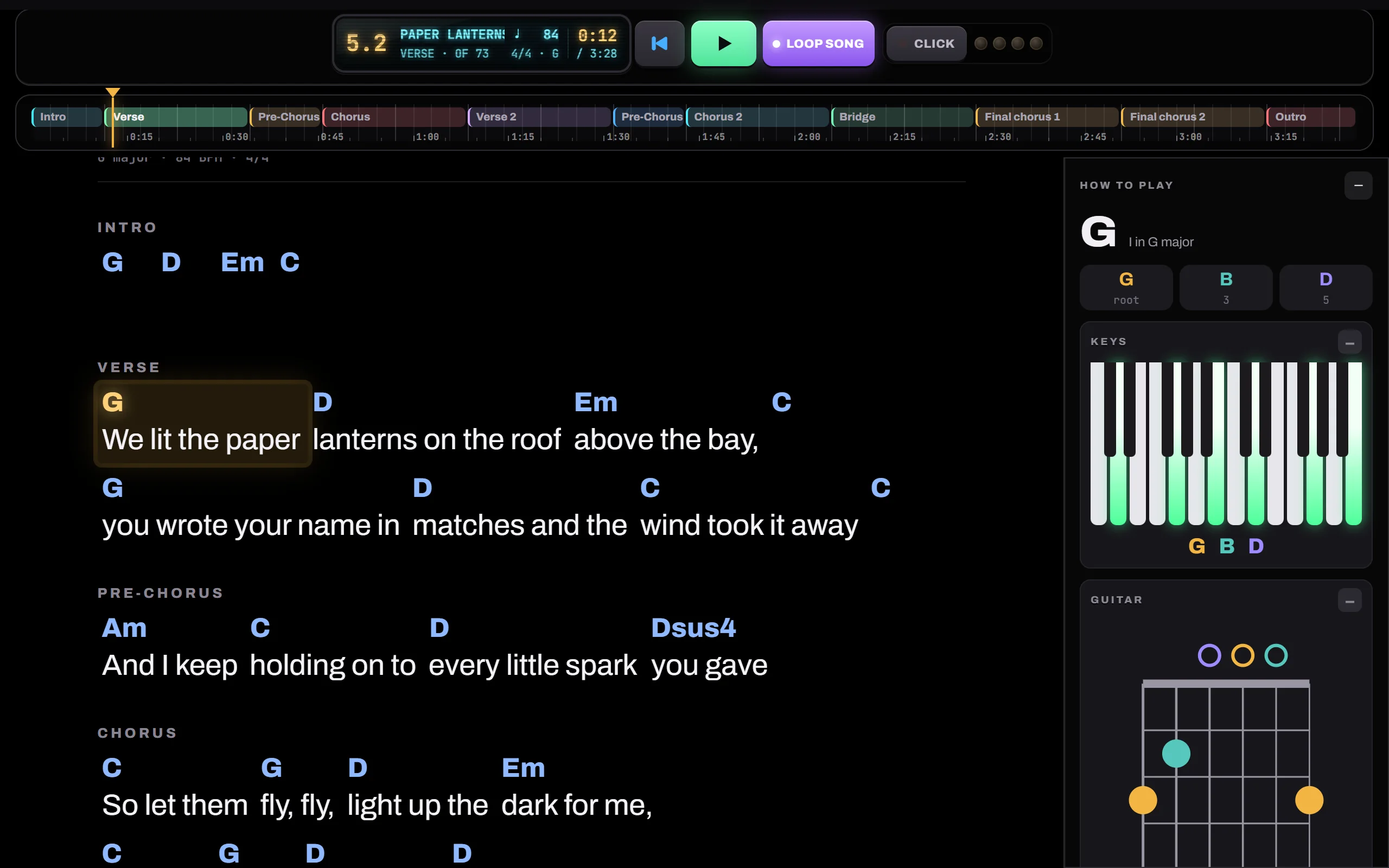
- The line being played glows gold
- How to play each chord on keys, guitar and bass
- Loop, click and the timeline stay in reach
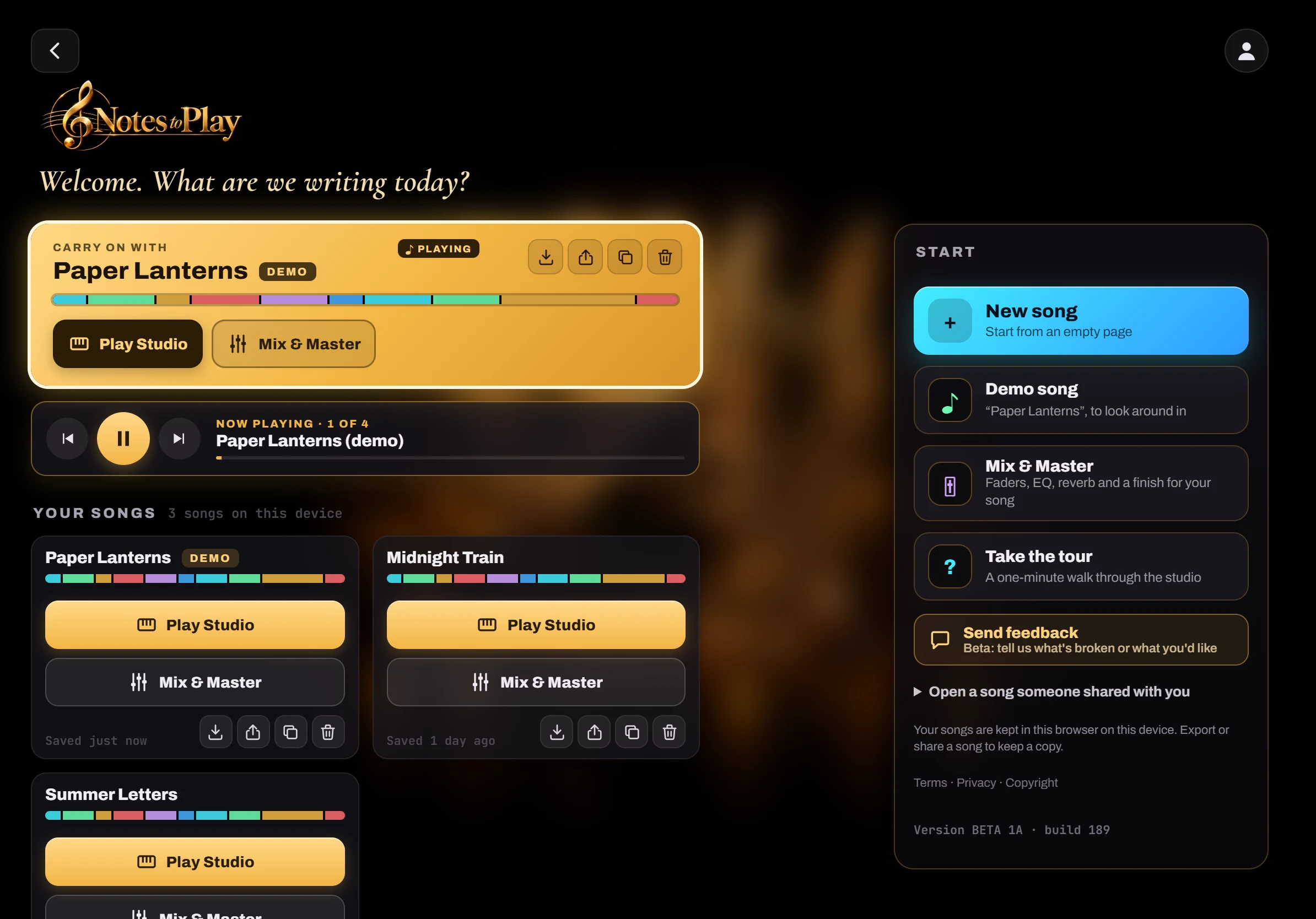
Every song has two doors.
Your songs wait on the Start screen with their parts at a glance. Open one in Play Studio to write, or in Mix & Master to finish it. Play all runs through them one after another.
- Play Studio or Mix & Master, right from the song card
- Play all, with the song playing lit up in the list
- Export, duplicate or share a song code
- Installs from the browser, works offline
Tablet first. Phone friendly.
On a phone the studio stacks into one column, so an idea on the bus is never more than a tap away.
Get it on your devices

Six moves to a finished song.
- Pick a keyTap a key on the circle. Its chords light up green.
- Add chordsHear them first, then write them into bars and parts.
- Choose how it playsHold, Pulse, Arp or Strum for every part.
- Add beats and melodyPads, a beat per part, and a piano roll.
- RecordSing or play over it and line the take up.
- Mix and exportBalance it in Mix & Master, then save a WAV or MP3.
Coming soon.
Being built now. Not in the app yet.
Cloud sync
Your songs in your own Dropbox, Google Drive or OneDrive. Never on our servers.
Learn & Practice
A third room for learning piano, guitar and drums: Watch, Follow and Play-along, practice songs and scales, listening through MIDI or the microphone.
MIDI export
Take your parts into another music app as MIDI.
Sound packs
More instruments and kits to add to the studio.