
How it plays: Hold, Pulse, Arp, Strum
Choose how each part is played, edit the arpeggio grid, and give any chord its own pattern or your own notes.
-
Pick a style for the part
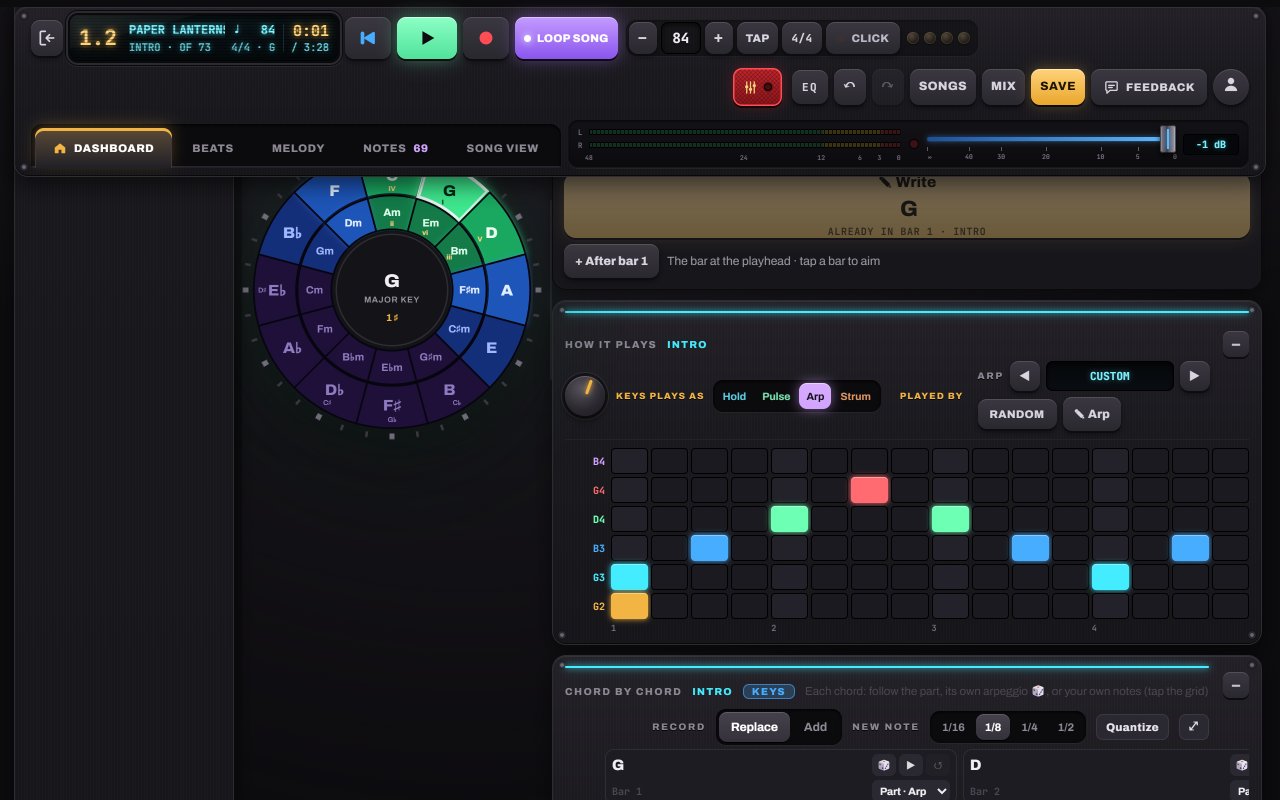
In How it plays, choose Hold (long chords), Pulse (on the beat), Arp (one note at a time) or Strum (down and up strokes). Keys and Guitar each have their own setting, and every part keeps its own: a quiet Arp intro, a strummed chorus.
- 1Hold · Pulse · Arp · Strum
- 2Which channel you’re setting (Keys or Guitar)
-
Shape the arpeggio
On Arp, a grid opens: each row is a note of the chord (labelled with the real note), each column a step. Tap steps on or off. Pick a preset (Up, Down, Up & down, Broken, Alberti, Climb) or roll a random one. When Keys play Arp, the bass follows the grid’s bass row.
- 1◀ preset ▶
- 2Random
- 3The grid: bass, then notes 1–5 of the chord
-
Go chord by chord
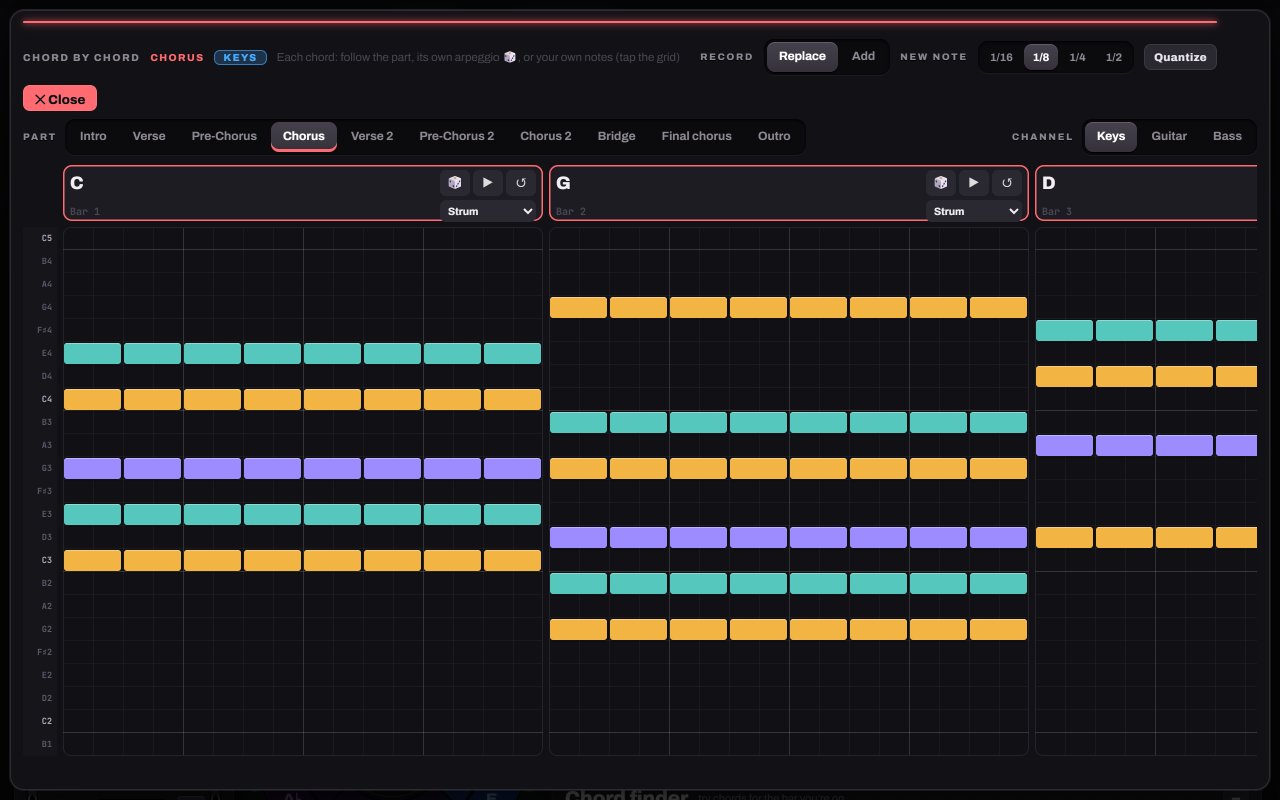
Chord by chord shows exactly which notes every chord plays, colored by their role (root gold, third teal, fifth purple). Give one chord its own pattern, shuffle it with 🎲, or tap the grid to write your own notes. On Bass it writes a bass line.
- 1Switch parts
- 2Each chord: Part, Hold, Pulse, Strum, Arp or My notes
- 3🎲 a new pattern for just this chord
- 4Tap the grid to add or remove notes
- 5Keys · Guitar · Bass


Hear it in a sample song
- Slow Rewind · Pop ballad
- Gravel Road Waltz · Folk / acoustic
- Velvet Hours · R&B / neo-soul