
Parts and song structure
Intro, Verse, Chorus and friends; repeats; the timeline; Song view with lyrics under every chord; Concert mode.
-
Build the song from parts
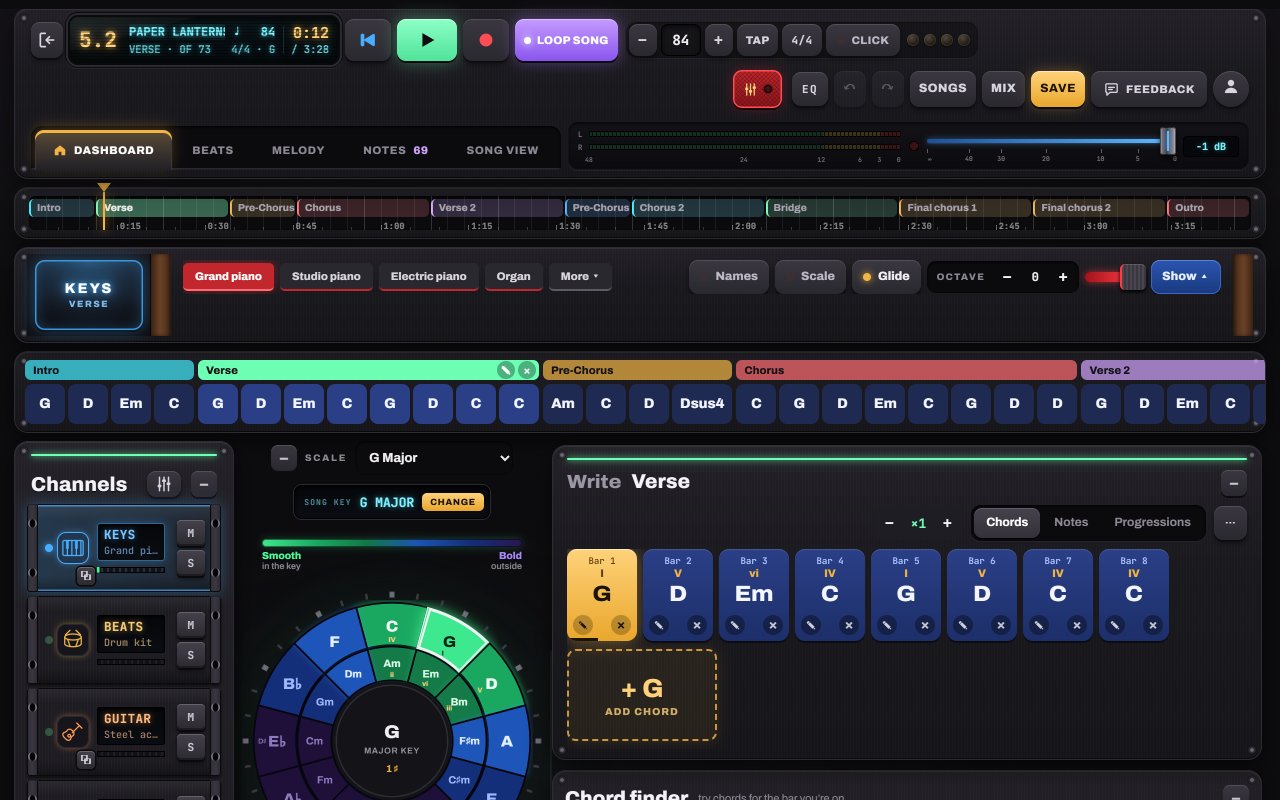
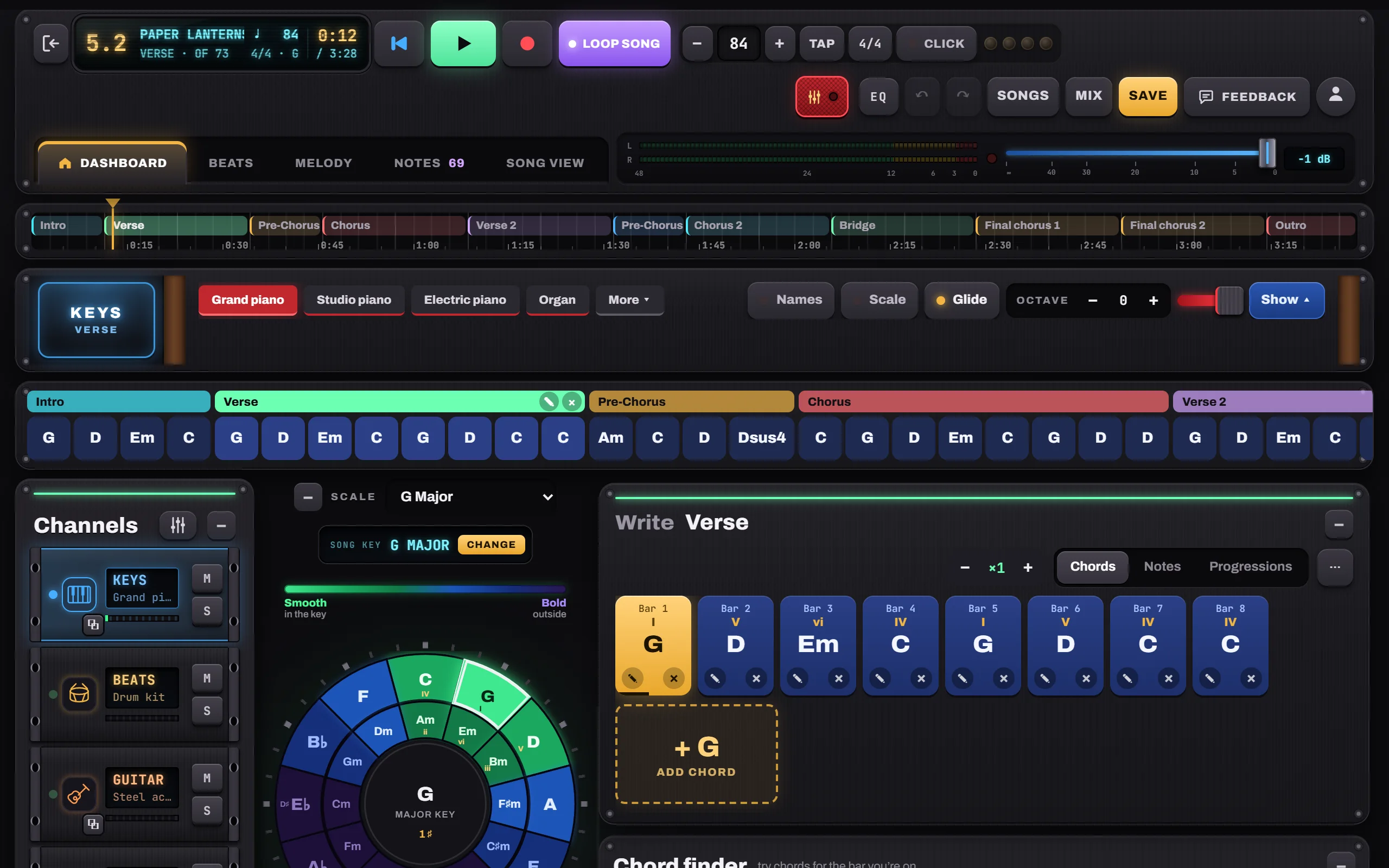
Songs are made of parts: Intro, Verse, Pre-Chorus, Chorus, Bridge, Outro. A new part copies one you already have (a second Verse becomes “Verse 2”, a Final chorus copies the Chorus) so you only change what’s different. The timeline above shows the whole song in minutes and seconds.
- 1Timeline: drag to move through the song
- 2Song bars for every part
- 3Repeat a part ×2, ×3…
-
See it all in Song view
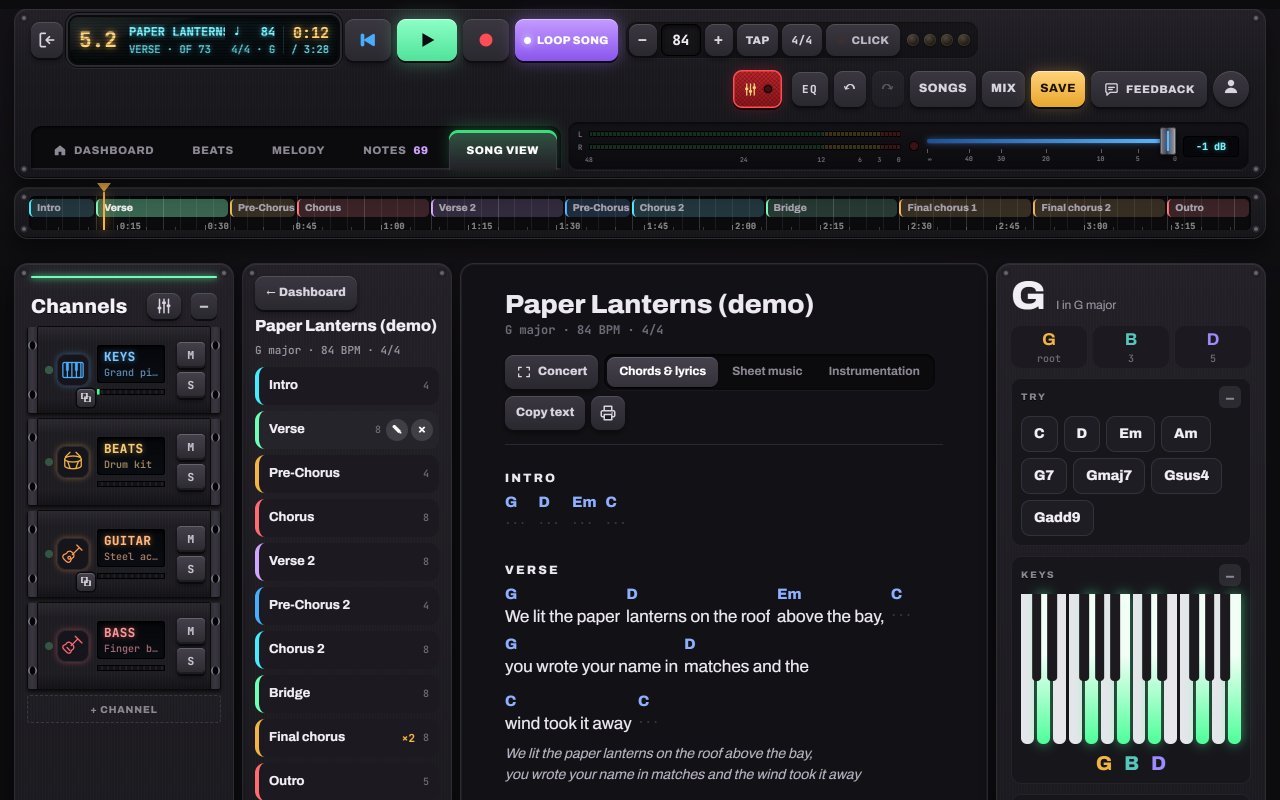
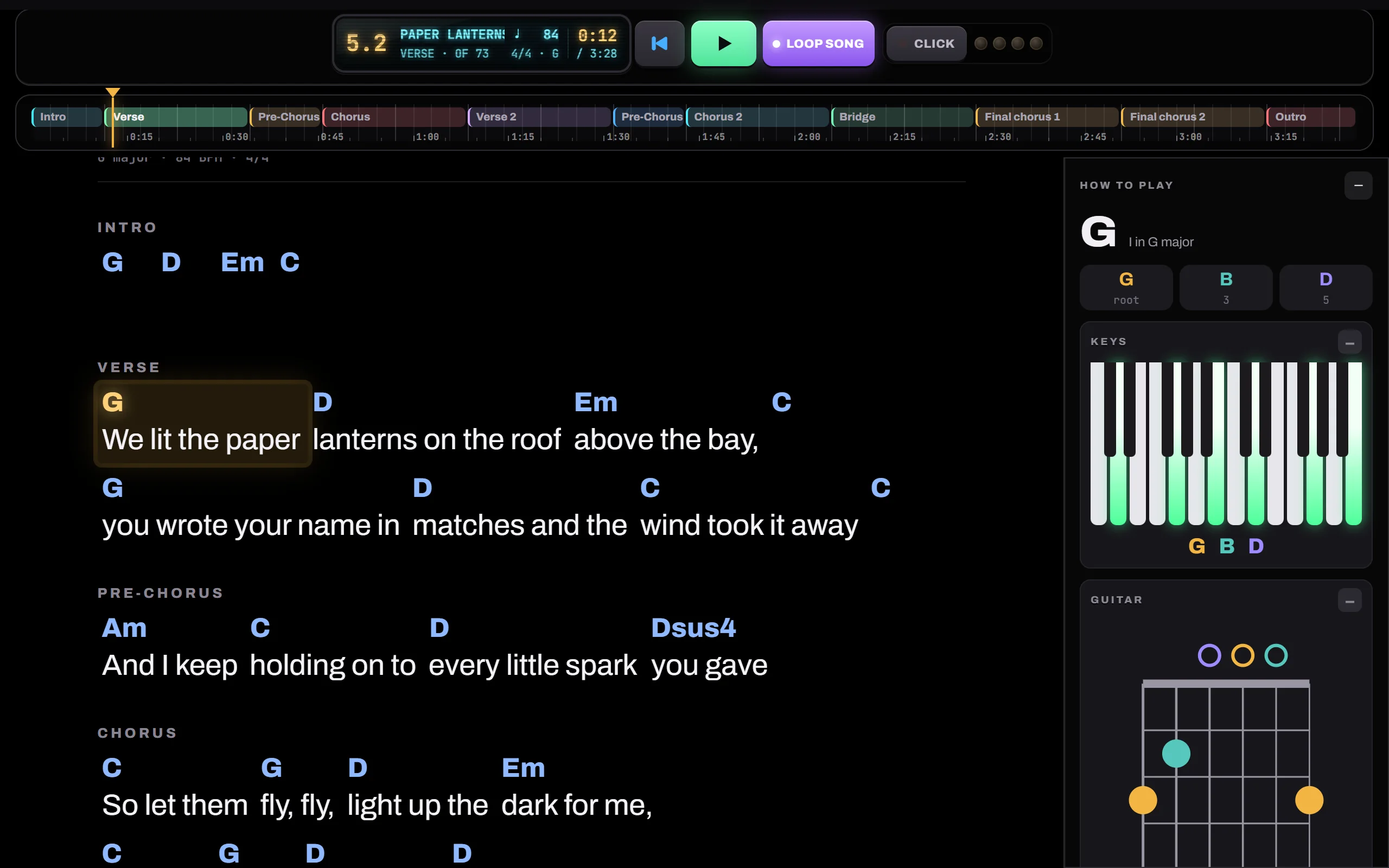
Song view is your lead sheet: every part, chords above, lyrics underneath. Type lyrics straight into it. Switch to Sheet music for a lead sheet, piano, guitar or bass part, or Instrumentation to see what plays where.
- 1The outline: tap a part to jump there
- 2A part that plays twice
- 3Chords & lyrics · Sheet music · Instrumentation
- 4A lyric line under every bar
-
Write the lyrics
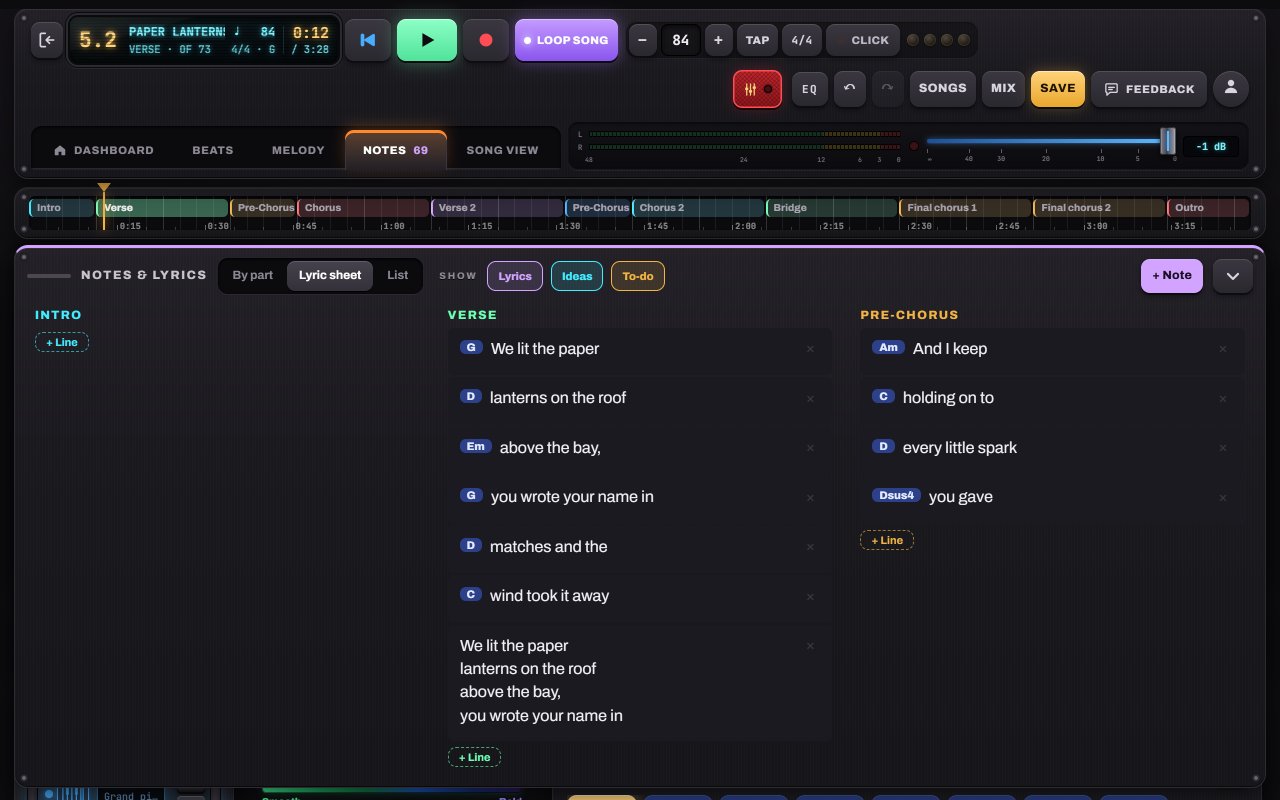
The Notes panel holds lyrics, ideas and to-dos for each part. While you write, the rhyme finder suggests rhymes and near-rhymes for the end of the line above. Tap one to drop it in. On a tablet, tapping a lyric opens it full page so the keyboard never covers your words.
- 1By part · Lyric sheet · List
- 2+ Line adds a lyric line
- 3+ Note for ideas and to-dos
-
Play it on stage
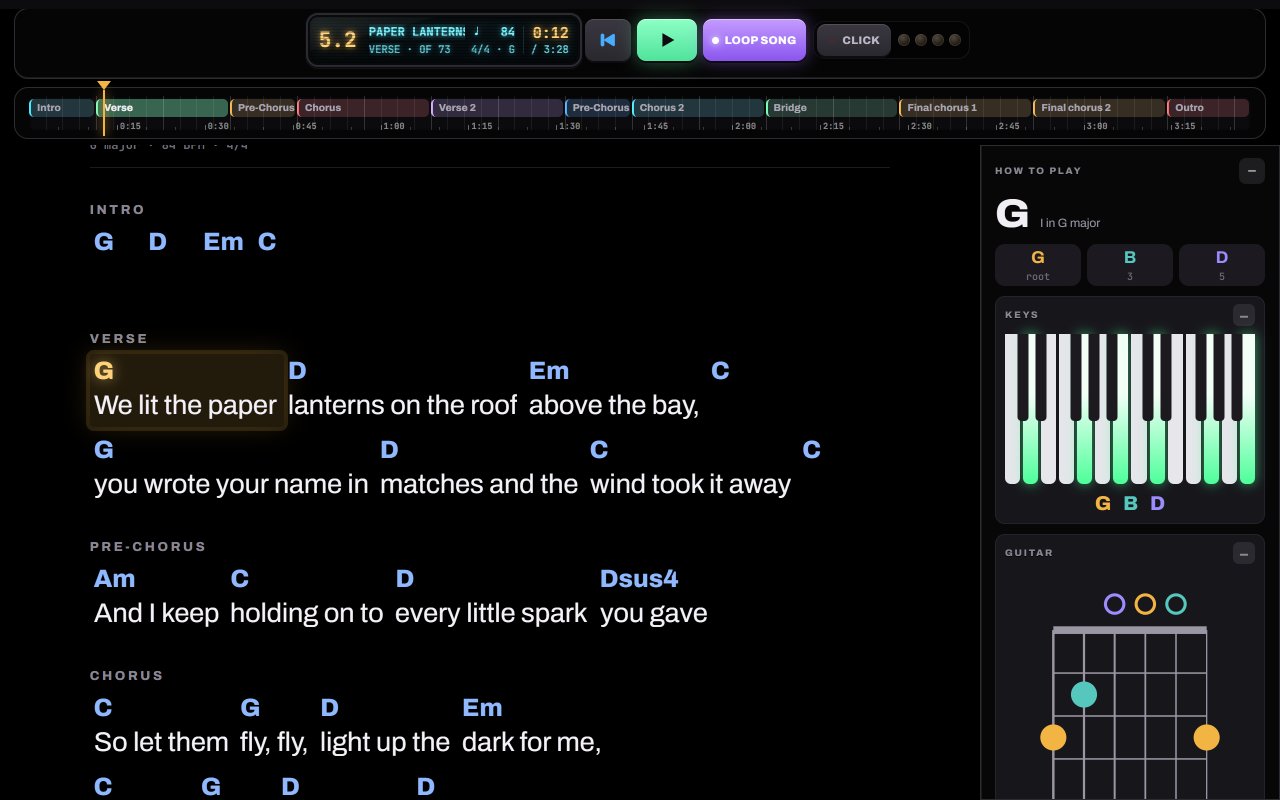
Concert (in Song view) goes full screen: just chords and lyrics in big type, scrolling with the song. Tap any chord to jump there. Esc or ✕ Exit concert brings you back.
- 1The line being played glows gold
- 2How to play the chord: keys, guitar, bass
- 3Play, loop and click


Hear it in a sample song
- Paper Lanterns · Demo song · pop / folk
- Slow Rewind · Pop ballad
- Gravel Road Waltz · Folk / acoustic